
GUEST WIFI AND DIGITAL SERVICE PLATFORM
Manage WiFi access, payments, kiosks and guest engagement from one platform
START FREE TRIAL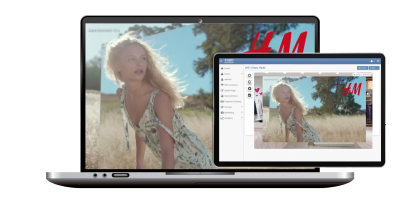

What are WiFi Ads?
WiFi Ads are image or video promotions shown on WiFi splash pages, captive portals or welcome pages before or after guest login. Antamedia WiFi Hotspot helps businesses run sponsored access, venue promotions, coupons, service messages and advertising campaigns while tracking impressions, clicks and engagement from the dashboard.

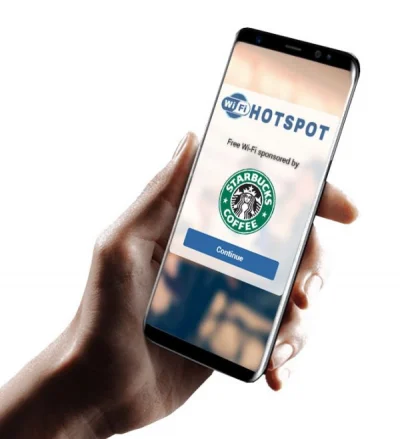
WiFi Ads help hotels, restaurants, cafés, retail stores, shopping malls, transport providers, events and public venues use guest WiFi as a communication and advertising channel.
Businesses can display image or video campaigns during the WiFi login flow, on the welcome page or before redirecting guests to a selected landing page. Campaigns can promote offers, events, services, coupons, sponsor messages, loyalty programs, Digital Guide pages or venue announcements.
When guest data and consent are collected through the login process, campaign activity can also be connected with Antamedia Engage for follow-up communication and customer segmentation.
Video Ads
Display short video campaigns before or after WiFi login. Operators can define a minimum viewing duration before the guest continues to the landing page, welcome page or Internet access.
Video ads can be used for sponsored WiFi access, venue announcements, product promotions, event information, hotel services, restaurant offers, public messages or partner advertising.
Campaign reports can show impressions, clicks, engagement and user activity, helping operators understand how each campaign performs.
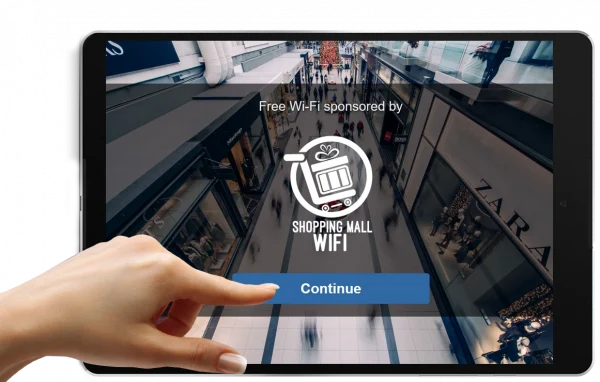

Image Ads
Create image-based campaigns for splash pages and welcome pages. Image ads are useful for coupons, service announcements, hotel offers, restaurant specials, retail promotions, public information, sponsor messages and seasonal campaigns.
Multiple image campaigns can be rotated across sessions, locations or campaign periods, depending on the configuration.
Campaign Media Options
WiFi Ads can use image campaigns, uploaded MP4 videos or YouTube videos, depending on the campaign type and configuration.
Operators can define campaign duration, redirect behavior, landing pages and reporting options. Campaign reports can include impressions, clicks, conversions and engagement data, with export options for managers or advertisers.

Connect WiFi Ads
with Engage
Guest data, contact permission, campaign activity and survey answers collected through WiFi login can be organized in Antamedia Engage.
Engage helps businesses manage contacts, create segments, send follow-up campaigns and track communication after the guest has interacted with a WiFi ad or sponsored access campaign.
Redirect WiFi Ad Campaigns
to Digital Guide
After a WiFi ad is displayed, guests can be redirected to Antamedia Digital Guide to explore hotel information, menus, offers, bookings, room requests, web shop pages, local services or venue information.
This is useful for hotels, restaurants, cafés, shopping malls, tourist locations and public venues that want advertising campaigns to lead guests toward useful digital services.
WiFi Ads FAQ
WiFi Ads are image or video promotions shown on WiFi splash pages, captive portals or welcome pages before or after guest login.
When a guest connects to WiFi, the captive portal can display an image ad, video ad, sponsor message or offer before redirecting the guest to Internet access, a landing page or another online service.
Yes. Sponsored access can allow venues to offer free or limited WiFi while showing sponsor messages, image campaigns, video ads or venue promotions.
Yes. Antamedia can track campaign impressions, clicks, views, engagement activity and reports, depending on the configured campaign and deployment.
Yes. Guests can be redirected to a welcome page, offer page, Digital Guide, booking page, survey, website or another selected URL after the campaign step.
Yes. Campaign activity, guest data and consent collected through WiFi login can be used with Antamedia Engage for segmentation and follow-up communication.
Yes. Hotels, restaurants, cafés, retail stores, shopping malls, transport providers and public venues can use WiFi Ads to promote offers, services, events and sponsor messages.
Some of our customers

