Why teams add Antamedia Chat
Real-time assistance replace phone calls and email wait times.
One support console brings front desk, sales, and tech support together so anyone available can assist.
Every chat becomes a Engage contact with history, tags, and notes (Antamedia Engage required). One widget covers your website and captive portals – you decide where it appears.
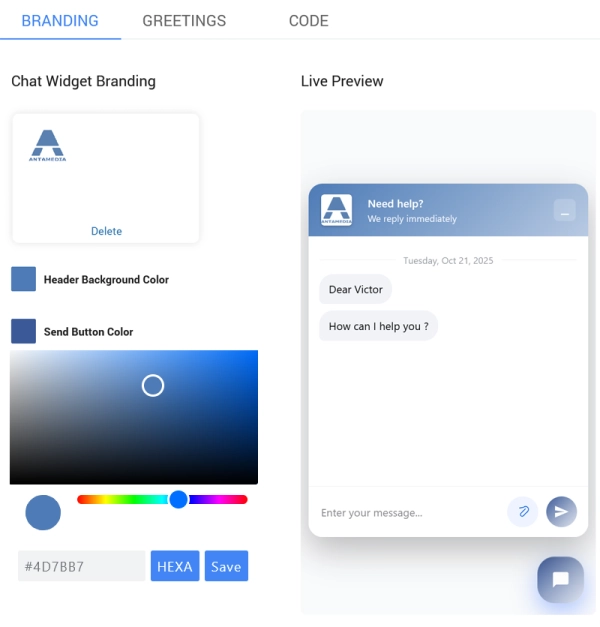
Brand it with your logo, colors, and greeting messages.
No credit card required. Zero-risk free trial.
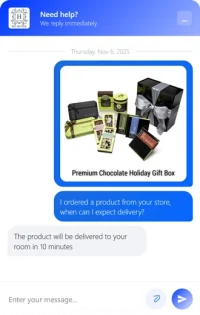
Branded chat
Your colors, logo, and greeting load immediately
Multi admin console
Serve more people at once with unread markers, assignments, and handoff
Saved in CRM
One click adds the person to Engage; transcripts live on the contact timeline
Pre-chat capture
Ask for name and email before the first message to match visitors to existing records
File uploads
Users attach screenshots or documents. Operators open them directly from the thread
Made for WiFi
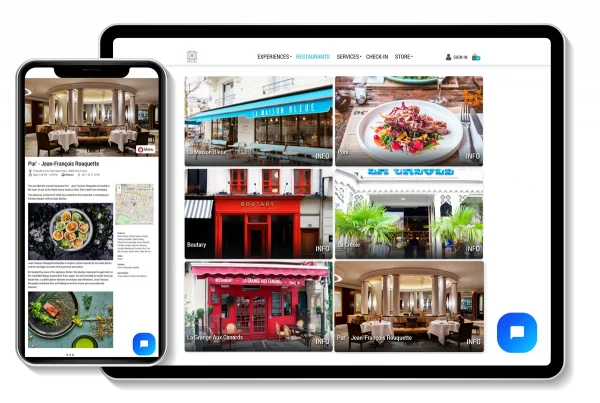
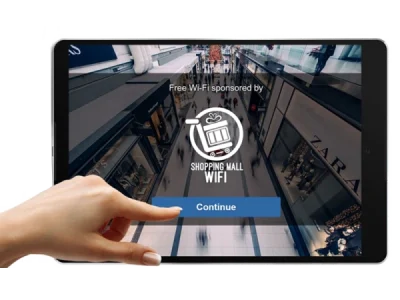
Add the chat to captive portals so guests can reach you even before they log in

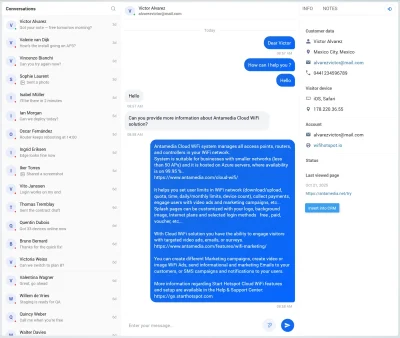
What your team sees (Admin)
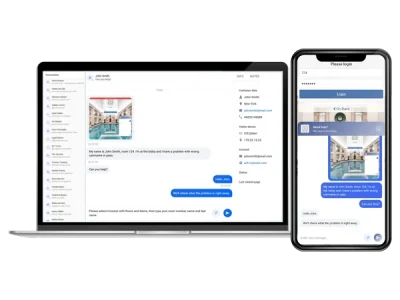
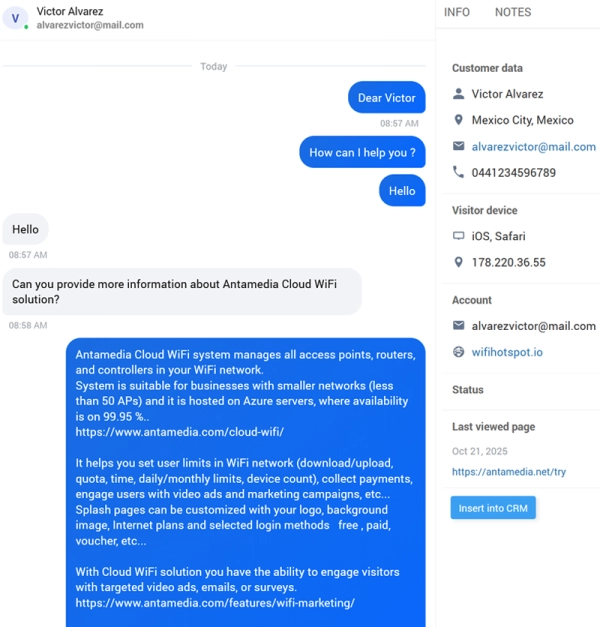
Reply in real time without page refresh and hand off conversations when needed.
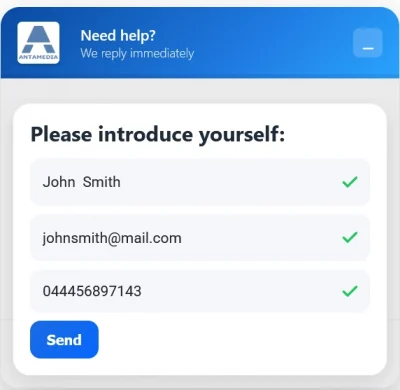
Customer view
Visitors enter their name, email, and phone, then connect instantly with an operator

How it works?
Use cases
Hotel
Guests get help in seconds instead of calling the desk or waiting on email. Front desk and IT reply from one shared support console. Every chat attaches to the guest’s Engage profile. Use the same branded widget on your website and WiFi splash page to assist before and after login
Retail
Shoppers get instant answers without phoning the store or filling forms. Sales and tech support assist from one shared console. Chats become Engage contacts with purchase context and tags. Place one branded widget on your site and in-store WiFi for a consistent experience
Conference / Events
Attendees get help in seconds on your event site and venue WiFi splash page. Staff and IT reply from one shared console, and every chat saves to the attendee’s Engage profile. Make every corridor a help desk, and every chat a lead
Campus IT support
Students and visitors get support instantly. Student services and IT use one shared console to help from anywhere. Each chat is logged to the Engage with full history. Make wayfinding and login help as quick as a tap
Clinic / Hospital
Patients and visitors get quick answers on your site or guest WiFi before and after check-in. Reception and IT assist from one shared console; conversations attach to Engage with history and notes. Turn “Where do I go?” into calm, guided arrivals
Hospitality upsell and concierge
Guests book upgrades, spa, and dining in seconds without calling the desk. Front desk and concierge share one console; each chat enriches the guest’s Engage profile with preferences and tags. Make curiosity your highest-converting amenity
Specs at a glance
Frequently Asked Questions
Yes. Enterprise WiFi can be used as an unbranded or white label platform with your own logo, colors, domain and service identity, allowing you to resell it as your own managed WiFi service.
Antamedia WiFi Hotspot is a hosted guest WiFi and captive portal platform for managing WiFi access, splash pages, vouchers, payments, bandwidth limits, analytics and WiFi marketing from the cloud.
When a guest connects to the WiFi network, WiFi Hotspot redirects the device to a branded captive portal page. The guest logs in using free access, voucher, paid plan, OTP, PMS login, social login, video ad or a custom form. After login, Antamedia WiFi Hotspot applies the configured access rules and tracks usage in the dashboard.
Yes. Antamedia WiFi Hotspot supports MikroTik, Ubiquiti UniFi, Aruba, Cisco, Ruckus, TP-Link, Grandstream and other RADIUS-capable access points, routers and controllers.
Yes. Antamedia WiFi Hotspot can collect guest data and consent, show video or image advertisements, run surveys, redirect users to landing pages and help businesses create targeted WiFi marketing campaigns.
Antamedia WiFi Hotspot is hosted and managed by Antamedia, making it easier to deploy without maintaining your own server. Enterprise WiFi System uses the same core platform but runs on your own server or cloud VM, giving you full infrastructure and domain control.
Yes. WiFi Hotspot supports paid Internet plans, vouchers, credit card payments, PayPal and other payment gateways, allowing businesses to offer free, limited or premium WiFi access.
Antamedia Enterprise WiFi is a self-hosted WiFi management platform for running your own branded captive portal, RADIUS, billing and WiFi marketing service from your server or private cloud VM.
Enterprise WiFi is designed for resellers, ISPs, system integrators, hotel groups, retail chains, governments and managed service providers that need to manage multiple customers, venues or locations from one private platform.
Enterprise WiFi is installed on your own server or private cloud VM and gives you full control over infrastructure, branding, domain and customer data. WiFi Hotspot is hosted by Antamedia and is easier to deploy when you do not want to maintain your own server.
Kiosk Mode includes a secure Chromium-based browser that can open approved websites, start pages or digital services while blocking unauthorized browsing and access to system settings.
Yes. Enterprise WiFi includes AAA/RADIUS authentication, accounting, captive portal management, user database, Internet plans, vouchers, payments and usage tracking.
Yes. Enterprise WiFi includes customer hierarchy and partner management features, allowing service providers to create customer account
Antamedia Digital Guide is a cloud-based guest experience platform that lets hotels, resorts, restaurants and public venues create QR-accessible digital guides for services, bookings, check-in, offers, menus, room requests and web shop pages.
No. Guests can open Digital Guide from a QR code, direct link, WiFi welcome page or pre-arrival message using a browser on their phone, tablet or laptop.
Guests can view hotel information, browse menus, book experiences and restaurants, request amenities, check in before arrival, order services, buy products and access local recommendations.
Yes. Digital Guide can be used by resorts, restaurants, cities, airports, events, public venues and businesses that want to present services, products, offers or visitor information through a browser-based digital guide.
Yes. Digital Guide can be connected with Antamedia WiFi Hotspot so guests can access digital services from the WiFi welcome page before or after connecting to the Internet.
Yes. Digital Guide can include web shop products, paid services, bookings and payment options through supported gateways such as Stripe and PayPal, or PMS billing integrations where supported.
When guests connect through WiFi Hotspot, their login method, consent, activity and available profile data can become part of the customer record in Engage. This helps businesses understand guest behavior and run more relevant follow-up campaigns.
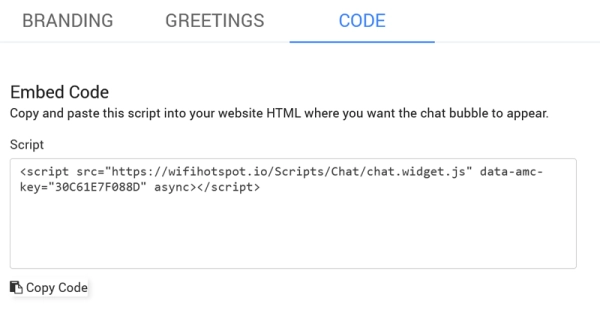
Yes. Use one script/site ID. The widget keeps your brand theme and runs on both pages, including pre‑login captive portals when allowed by your network settings
Multiple admins can work simultaneously in the shared console with unread markers, assignments, and handoff. Seat limits depend on your plan
Yes. Add a pre‑chat form (name and/or email). The form is consent‑based and the data is stored on the CRM contact
Yes. Guests can upload common formats (images, PDFs). Files display inline so operators resolve issues faster; attachments are saved on the contact timeline
Every thread is automatically attached to the contact in CRM with full transcript, timestamps, tags, and operator notes. You can search by person, tag, or keyword
Yes. The script loads asynchronously and is lightweight for mobile. Theme memory avoids flicker and keeps brand colors consistent
Antamedia Platform is a cloud-based business platform that connects WiFi Hotspot, Digital Guide, Cafe & Kiosk, Engage and Live Chat. It helps businesses manage guest access, digital services, customer data, communication and marketing from one shared dashboard.
Antamedia Platform includes WiFi Hotspot for guest WiFi, Digital Guide for QR-based guest services, Cafe & Kiosk for shared computers and kiosks, Engage for customer engagement and Live Chat for real-time communication.
Yes. Antamedia Engage is required. Every conversation creates or attaches to a Engage contact so your team keeps full history, tags, notes, and follow‑ups
Yes. Antamedia Platform is suitable for hotels, cafés, restaurants, coworking spaces, ISPs, shopping malls, transport providers and public venues that need to manage guest WiFi, digital services, kiosks, chat and customer engagement.
No. Digital Guide is accessed through a browser using QR codes or links, so guests can open digital services, menus, offers, bookings and information without installing an app.
Live Chat allows guests and website visitors to ask questions in real time. Conversations can be connected with Engage, helping your team keep customer history, follow up faster and provide better support.
Antamedia Cafe & Kiosk is a cloud-based platform for managing shared PCs, gaming stations, secure kiosks and public-access environments. It helps businesses control sessions, apps, payments, bills, POS items, users and devices from one dashboard.
Café Mode is designed for staffed environments such as gaming cafés, internet cafés, schools and training centers, where users need access to approved apps or games. Kiosk Mode is designed for unattended terminals and opens a secure browser or predefined page while blocking access to Windows settings and unauthorized applications.
Yes. Cafe & Kiosk can manage gaming PCs and, with Tuya Smart integration, help control connected devices such as consoles, TVs and projectors from the dashboard.
Yes. Cafe & Kiosk supports session billing, bills, POS items, vouchers, user accounts, paid access plans and supported payment methods, depending on the deployment and configuration.
Yes. Libraries, schools and universities can use Cafe & Kiosk to provide controlled access to approved applications, websites and learning resources while restricting system settings and tracking usage.
Some of our customers