
WIFI WELCOME PAGE AND POST-LOGIN REDIRECT
Show messages, offers and useful links after WiFi login
START FREE TRIALWhat is a WiFi Welcome Page?
A WiFi Welcome Page is the page guests see after successful WiFi login.
Antamedia WiFi Hotspot can use the Welcome Page to show a message, display important information, promote offers, link to Digital Guide, show surveys, present app download links or redirect users to a selected website after login.
The Welcome Page helps businesses control what guests see immediately after they connect to WiFi.
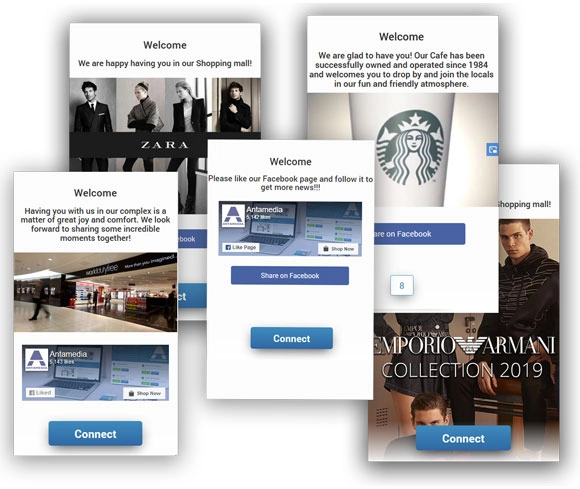
Instead of sending users directly to a random website, you can guide them to useful information, offers, service pages, surveys, booking links, Digital Guide, app download pages or a selected landing page.
Welcome pages are useful for hotels, restaurants, cafés, shopping malls, transport locations, public venues, retail stores and managed WiFi providers that want to turn the WiFi login flow into a clear post-login communication step.
Post-Login Welcome Page
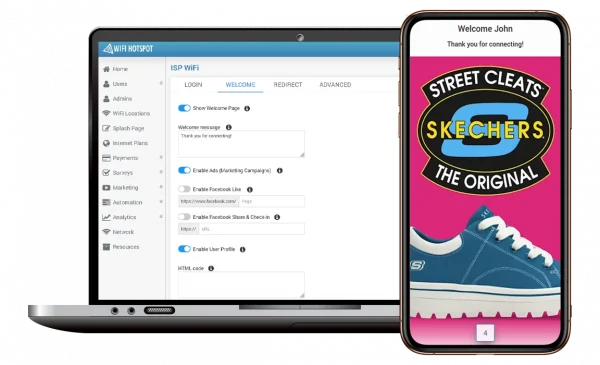
Redirect guests to a branded Welcome Page after successful WiFi login. The page can show a welcome message, service information, offers, surveys, Digital Guide links, booking pages, app download links or selected announcements.
The Welcome Page helps businesses keep the post-login experience controlled and useful, especially on mobile devices where the splash page may close after authentication.
Splash Page and Welcome Page
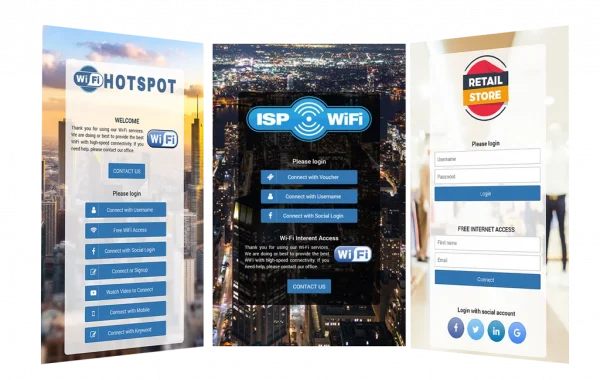
The Splash Page appears before login and is used for authentication, terms of use, consent options and login methods.
The Welcome Page appears after login and is used for post-login messages, offers, surveys, app links, Digital Guide redirection, user profile links or delayed redirects.
Together, splash pages and welcome pages help businesses manage the full guest WiFi journey from login to post-login engagement.
Welcome Page Options
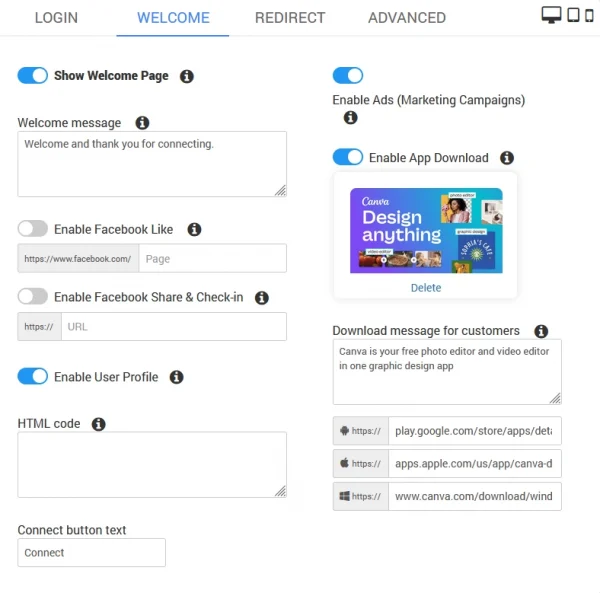
Welcome message
Write a short message to thank visitors after they connect and guide them to the next step.
Enable Ads (Marketing Campaigns)
Show selected image or video campaigns after login, with optional delay or redirect settings.
Enable App Download
Display app download links after WiFi login and guide visitors to your mobile app or digital service.
Facebook Like
Add an optional link to your Facebook page when this social action is supported and required.
Facebook Share & Check-in
Add an optional social sharing or check-in link when supported by the platform and campaign rules.
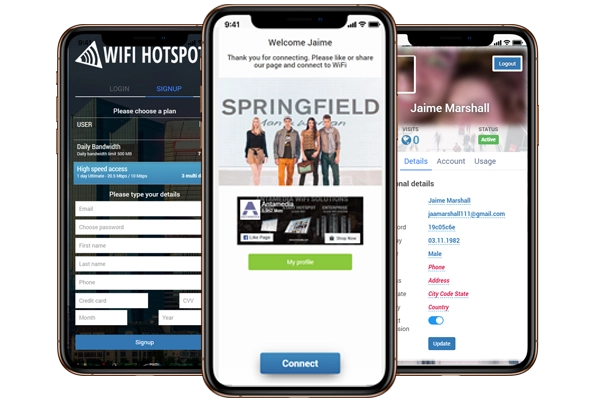
Enable User Profile
Show a button to open the user profile or customer portal, where users can review account or usage details.
HTML code
Add approved custom HTML for widgets, tracking, campaign content or external service links.
Connect button text
Customize the button text shown on the Welcome Page, such as Connect, Continue or Open Website.
WiFi Features
Use Welcome Pages for Guest Engagement
Welcome pages help businesses continue the guest WiFi journey after login.
Instead of relying only on social actions, businesses can redirect guests to useful services, collect feedback, show offers, promote events, link to Digital Guide or provide customer portal access.
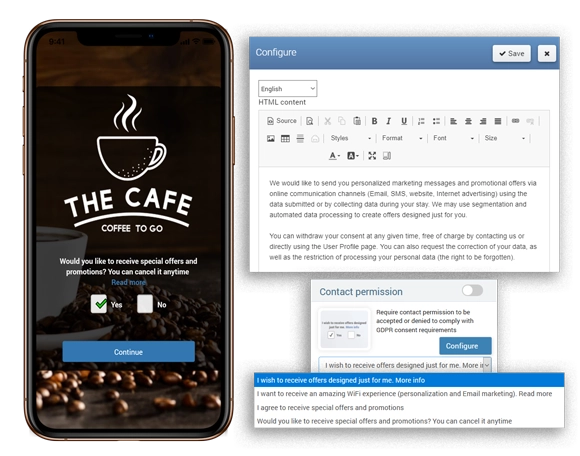
When guests provide consent through the WiFi login flow, interaction data and follow-up communication can be managed through Antamedia Engage.
Welcome Page Use Cases
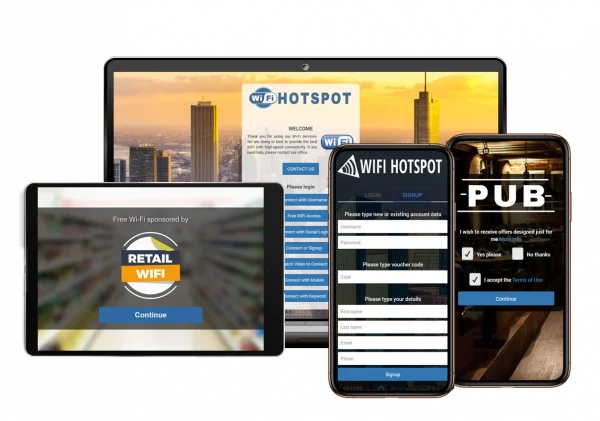
Hotels can redirect guests to Digital Guide, restaurant menus, spa offers, booking pages or guest service information.
Restaurants and cafés can show menus, daily specials, coupons, events, loyalty offers or feedback forms.
Shopping malls and retail stores can promote store directories, offers, events, coupons and survey pages.
Transport locations can show schedules, terminal information, service updates, safety notices or destination guides.
Public venues and smart city locations can display announcements, local information, visitor guidance and service pages.
Connect Welcome Page with Digital Guide
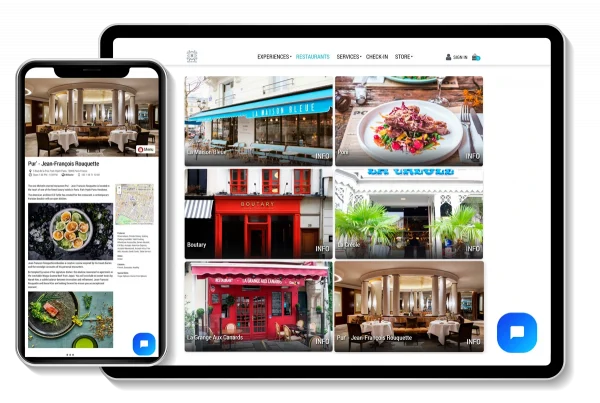
After WiFi login, guests can be redirected to Antamedia Digital Guide to access hotel information, menus, offers, bookings, room requests, web shop pages, local services or venue information.
This turns the Welcome Page into a useful digital service entry point instead of only a post-login message screen.
WiFi Welcome Page FAQ
A WiFi Welcome Page is the page shown after successful guest WiFi login. It can display messages, offers, surveys, app links, Digital Guide links, user profile options or redirects.
The Splash Page appears before login and is used for authentication, terms of use and consent options. The Welcome Page appears after login and is used for post-login messages, offers, redirects and engagement.
Yes. Guests can be redirected to a website, Digital Guide, booking page, survey, offer page, app download page, user profile or another selected URL after login.
Yes. Welcome Pages can display image or video campaigns, announcements, sponsor messages or selected promotional content after WiFi login.
Yes. A delayed redirect with countdown can give guests time to read a message, view an offer or open a selected link before continuing.
Yes. Guest activity, campaign interaction and consent-based contact data collected through the WiFi flow can be used with Antamedia Engage for follow-up communication.
Yes. After login, guests can be redirected to Antamedia Digital Guide to access hotel information, menus, offers, bookings, local services or venue information.
Some of our customers

