
CLOUD WIFI MANAGEMENT FOR ACCESS POINTS
Manage access points, SSIDs, roaming and AP performance
START FREE TRIAL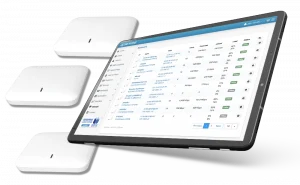

What is Cloud Managed WiFi?
Cloud Managed WiFi allows businesses to configure, monitor and control supported access points from a browser-based dashboard. Antamedia uses HotspotOS to help manage AP settings, SSIDs, roaming, client isolation, AP status, updates and WiFi performance as part of Enterprise WiFi System and WiFi Hotspot deployments.
Antamedia Cloud Managed WiFi helps operators manage supported access points across one location or multiple locations from a central cloud dashboard.
With HotspotOS, administrators can monitor AP status, connected users, traffic, memory, CPU, SSIDs, channel settings, transmit power and remote actions such as restart or update. This reduces manual configuration work and helps keep public WiFi networks easier to operate.
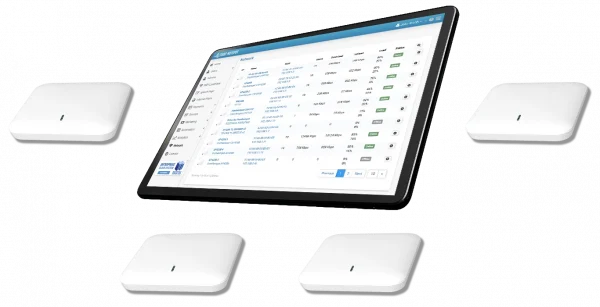
Cloud Managed WiFi is designed to work with Antamedia Enterprise WiFi System and WiFi Hotspot, giving hotels, ISPs, venues and managed WiFi providers a practical way to control guest WiFi access and AP management from one platform.
HotspotOS is a virtual controller used for
cloud-managed WiFi and access point control.
It is integrated with Antamedia Enterprise WiFi System and WiFi Hotspot, allowing operators to manage supported AP settings from the Antamedia platform.
CLOUD MANAGED WiFi FEATURES
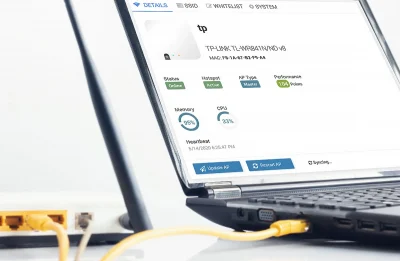
Check AP status, the number of connected users, bandwidth usage, update or restart AP, check memory and CPU condition directly from your browser.
Virtual Controller
HotspotOS includes virtual controller functionality for supported access points. It helps coordinate and distribute WiFi settings across the network, so administrators can manage multiple APs from one browser-based dashboard.
In multi-AP environments, one access point can take the master role and help control connected APs. This makes it easier to manage SSIDs, client isolation, roaming behavior and common access point settings without configuring every device separately.
WiFi Network Roaming
Cloud Managed WiFi helps improve the experience for users moving between access points in the same network. Where supported by the hardware and configuration, roaming features such as 802.11 k/v/r can help devices move between APs with fewer interruptions.
After the first successful authentication, returning users can continue moving through the covered area without seeing the splash page again during the active session, depending on network and session settings.
HotspotOS Whitelabel
HotspotOS can support white label branding for partners and managed WiFi providers. Your company details, captive portal settings and RADIUS configuration can be prepared for supported access points, helping you deliver a branded WiFi management experience to customers.
This is useful for resellers and service providers that want to deploy access points under their own service identity while using Antamedia platform components in the background.
Included Virtual Controller Functionality
Antamedia includes virtual controller functionality as part of the supported WiFi management platform, helping operators manage access points without using a separate third-party controller subscription for supported HotspotOS deployments.
Easy HotspotOS Installation
HotspotOS installation is designed to be simple for supported access points and WiFi routers. Install HotspotOS on the device, connect it to the Antamedia platform and register the access point using the required device information, such as the AP MAC address.
Setup instructions depend on the supported device model. Before deployment, check the supported HotspotOS devices and follow the installation guide for your access point or router. The list of supported HotspotOS devices is available here.
Cloud Managed WiFi FAQ
Cloud Managed WiFi allows operators to configure, monitor, and control supported access points from a browser-based dashboard instead of managing every AP separately.
HotspotOS is Antamedia software for supported access points and routers. It helps operators manage AP settings, SSIDs, client isolation, roaming, AP status and remote actions from the Antamedia platform.
Yes. Cloud Managed WiFi can work with Antamedia WiFi Hotspot to help manage supported access points, captive portals, guest access and WiFi marketing from the cloud.
Yes. Cloud Managed WiFi can support Enterprise WiFi System deployments where operators need private infrastructure, RADIUS, captive portal management and access point control.
Yes. Supported access points can be managed across one location or multiple locations, depending on the deployment, device support and network configuration.
HotspotOS can support roaming features for compatible hardware and configurations, helping users move between access points with fewer interruptions.
Supported devices depend on the HotspotOS version, access point model and deployment method. Check the list of supported HotspotOS devices before installation.
WORKS WITH

