
CAFE & KIOSK MANAGEMENT PLATFORM
Manage sessions, payments, apps and secure kiosks from the cloud

What is Antamedia Cafe & Kiosk?
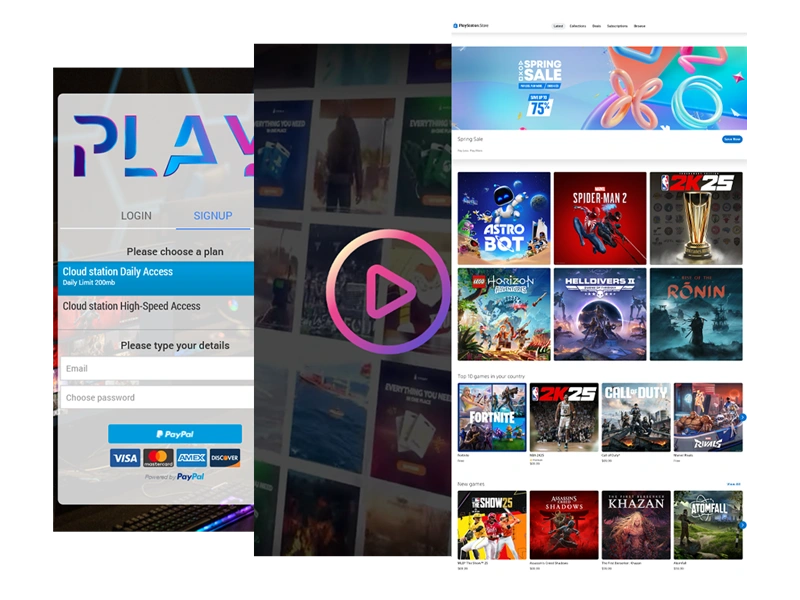
Antamedia Cafe & Kiosk is a cloud-based platform for managing shared PCs, gaming stations, secure kiosks and public-access environments from one dashboard.
It helps businesses control user sessions, applications, payments, bills, POS items, remote devices and access rules across staffed or unattended locations.
Cafe & Kiosk is part of the Antamedia platform and is designed for managing shared computers, gaming stations, secure kiosks and public-access environments from a single cloud dashboard.
It combines session control, app management, billing, POS, access rules, splash pages, payments, and analytics. This makes it suitable for gaming cafés, internet cafés, hotel lounges, libraries, schools, coworking spaces, training centers and unattended kiosks.
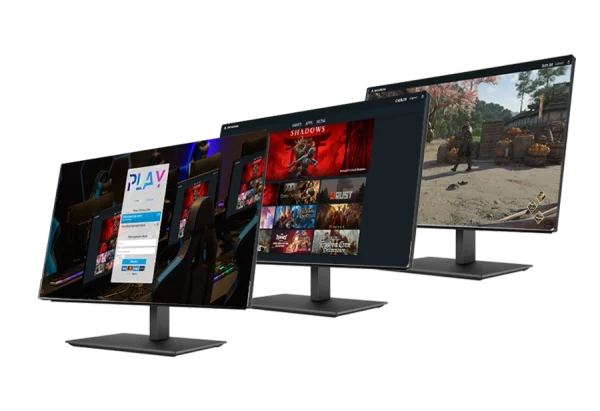
Console, TV, and Projector Control
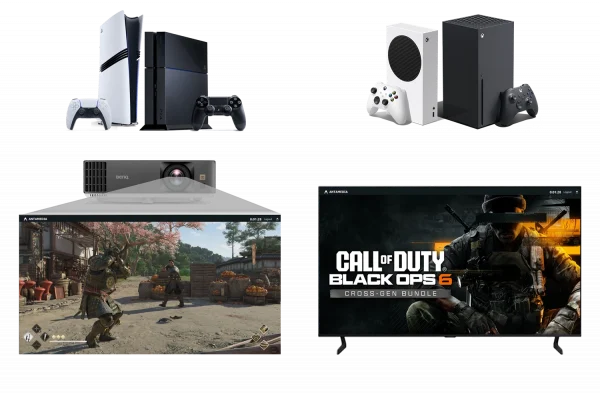
Cafe & Kiosk can control more than PCs. With Tuya Smart integration, administrators can power on or off game consoles, TVs, projectors and other connected devices directly from the dashboard.
This helps gaming lounges, hotel entertainment areas, classrooms and shared facilities save energy, automate station availability and manage devices without physical access.
Kiosk Secure Browser
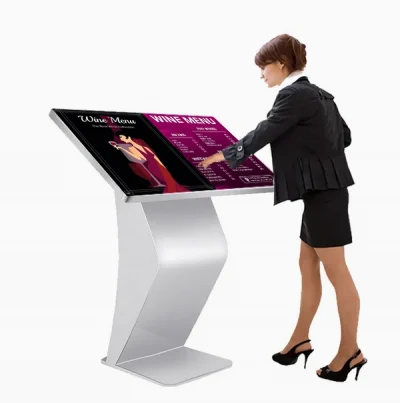
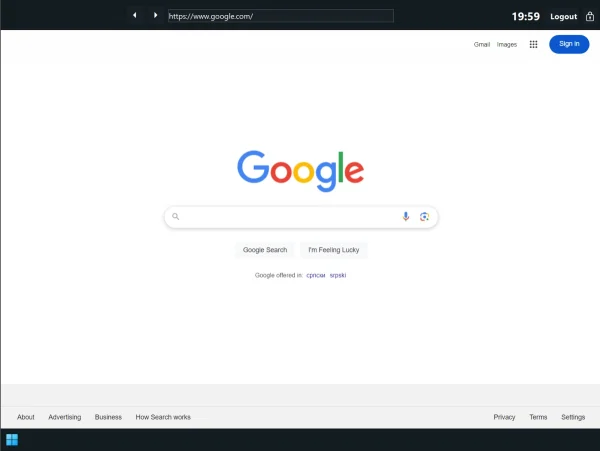
Cafe & Kiosk includes a secure Chromium-based browser for unattended terminals, information points, libraries, hotels and self-service stations.
Admins can define start pages, allowed websites, blocked URLs, session limits and browsing rules. Users get a simple controlled interface, while access to system settings, unauthorized content and desktop functions remains restricted.
POS (Point of Sale) and Product Sales
Cafe & Kiosk POS allows staff to sell products and services from the same dashboard used to manage sessions.
Add snacks, drinks, accessories or services, select quantities, calculate totals and keep every sale connected with the correct station or user.
• Fast item selection with quantities and totals
• Works alongside session control (sell while users are active)
• Centralized history for easier reporting and reconciliation

Bills and Checkout
Bills provides a simple checkout flow for session charges, POS items and extra services.
Staff can add usage, products and payments to one bill, close it when the customer is done and issue a receipt with a full transaction record.
• Consolidates session charges + POS items into one bill
• Supports cash, card, wallet, and split payments
• Receipts and transaction history for auditing and reporting

Cafe & Kiosk Features
Two Flexible Modes of Operation
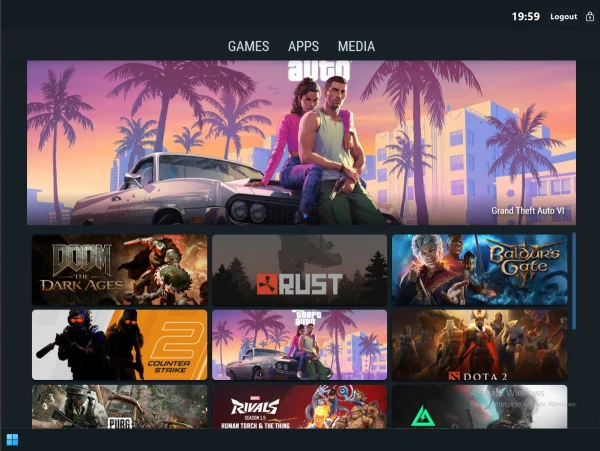
Café Mode
Café Mode creates a managed desktop environment for gaming cafés, coworking spaces, training centers, libraries and staffed public-access locations. Users can launch approved apps, games or tools while restricted system areas remain hidden or blocked.
Kiosk Mode
Kiosk Mode is designed for unattended terminals in hotels, waiting rooms, libraries, receptions and information desks. The device opens directly into a secure browser or predefined web page, giving users controlled access without exposing Windows settings or unauthorized applications.
Control Gaming Centers, Kiosks and Shared PCs
Login and Access Control
Cafe & Kiosk supports user accounts, prepaid vouchers, one-time passwords, free trials and paid access. Admins can define session duration, access rules, inactivity logout and limits for different users, stations or services.
Application and Content Management
Group applications into categories such as Games, Media, Office, Learning or Tools. Allow only approved apps, block system functions and present users with a clean interface instead of an unrestricted Windows desktop.
Remote Power and Device Control
With Tuya Smart integration, Cafe & Kiosk can remotely power on or off supported TVs, consoles, projectors and other connected devices. This helps operators automate station availability and reduce manual work.
Personalized User Experience
Customize the login screen with your logo, background, announcements and promotional content. Use splash pages, video ads, image campaigns and follow-up messages to improve communication and engagement.
Payment and Billing System
Create paid access plans, sell products, issue vouchers, manage user balances and accept online or local payments where supported. Bills and POS records help staff track usage, products and payments in one workflow.
Real-Time Monitoring and Analytics
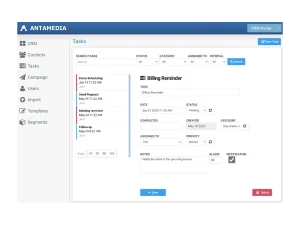
Monitor active sessions, connected stations, usage history, payments and reports from the dashboard. Operators can see what is happening in real time and make better decisions based on actual activity.
Who is Cafe & Kiosk for?
Simple Setup Process
Install Cafe & Kiosk on a Windows PC, log in with your Antamedia account, choose Café Mode or Kiosk Mode and register the station in the cloud dashboard.
For advanced environments, you can configure multiple displays, Tuya remote power control, custom application profiles, splash pages, payment methods and access rules per station or location.
Payments and Signup Methods
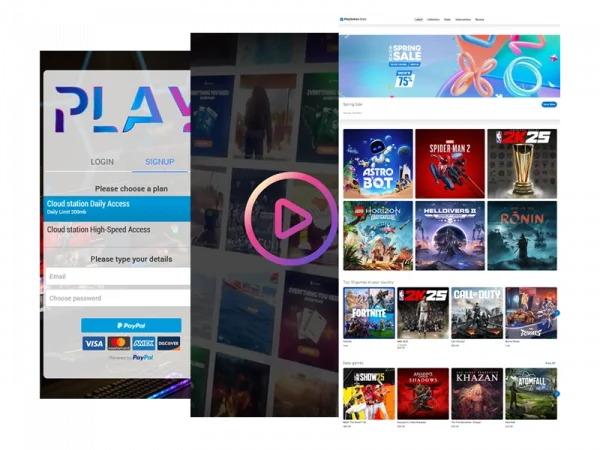
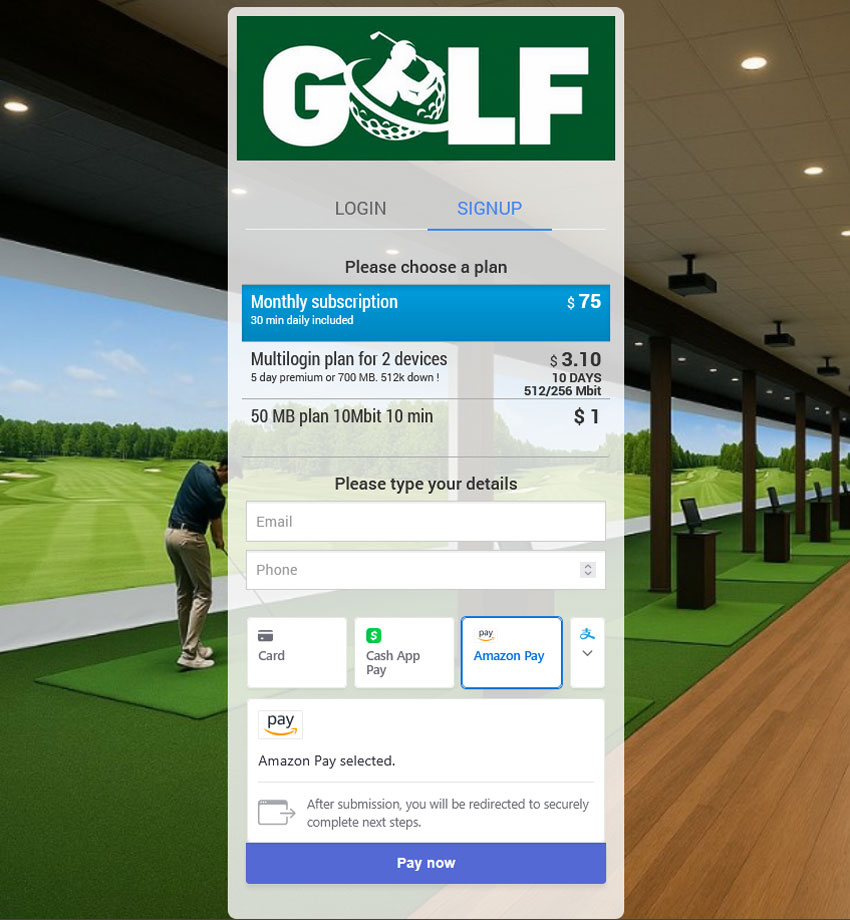
Cafe & Kiosk supports flexible access and payment flows. Users can sign in with accounts, vouchers or one-time passwords, while automatic signup can be enabled from the splash page.
Businesses can offer free access, prepaid sessions, paid plans, wallet balance, card payments, local payments or supported online gateways depending on the deployment model.
Easy, Powerful and Reliable
Cafe & Kiosk is built to simplify the way you manage PCs and consoles. Whether you’re running a small Cyber Café or a chain of eSports centers, it offers the same intuitive interface and full control. Fast to set up, easy to use, and ready to scale with your needs.
Boost Your eCenter
Take full control of your environment—automate payments, enable credit card processing, and track customer usage in real time. Built-in reports give you instant insights into activity, and profits. Save time, reduce effort, and increase revenue.
Trusted Since 2001.
With over two decades of development, our software has grown alongside the evolving needs of gaming centers and public venues. Trusted by thousands worldwide, Cafe & Kiosk carries the legacy of our first Antamedia product, refined through experience and user feedback.
A Complete Solution for Public Access Environments
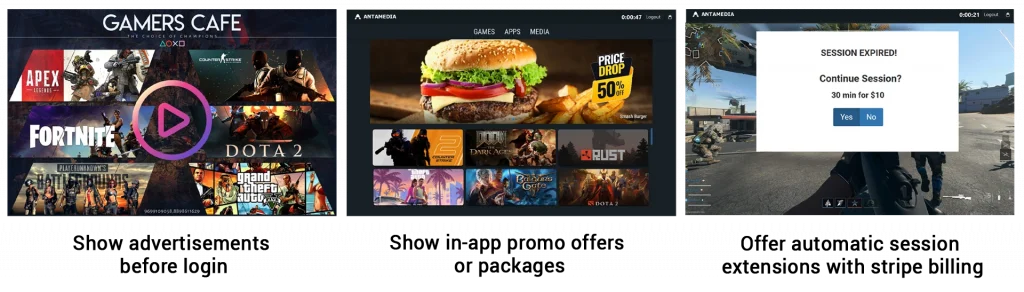
Cafe & Kiosk brings together session management, access control, secure browsing, application control, billing, POS, payments, remote administration and marketing in one cloud-based platform.
Whether you manage ten devices or hundreds, it helps standardize daily operations, reduce manual work and keep every station controlled, secure and easy to manage.
WiFi Ticket App Integration
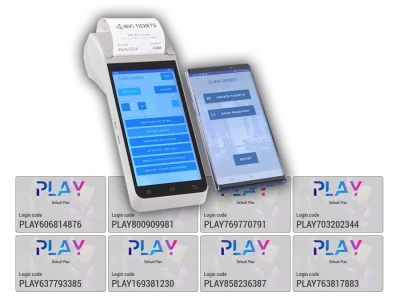
WiFi Ticket App can be used alongside Cafe & Kiosk to help staff generate and print login credentials from a mobile device.
This is useful for gaming cafés, lounges, hotels, kiosks and public venues where staff need to issue time-limited access codes, voucher tickets or guest credentials quickly.


Cafe & Kiosk FAQ
Antamedia Cafe & Kiosk is a cloud-based platform for managing shared PCs, gaming stations, secure kiosks and public-access environments. It helps businesses control sessions, apps, payments, bills, POS items, users and devices from one dashboard.
Café Mode is designed for staffed environments such as gaming cafés, internet cafés, schools and training centers, where users need access to approved apps or games. Kiosk Mode is designed for unattended terminals and opens a secure browser or predefined page while blocking access to Windows settings and unauthorized applications.
Yes. Cafe & Kiosk can manage gaming PCs and, with Tuya Smart integration, help control connected devices such as consoles, TVs and projectors from the dashboard.
Yes. Cafe & Kiosk supports session billing, bills, POS items, vouchers, user accounts, paid access plans and supported payment methods, depending on the deployment and configuration.
Yes. Libraries, schools and universities can use Cafe & Kiosk to provide controlled access to approved applications, websites and learning resources while restricting system settings and tracking usage.
Kiosk Mode includes a secure Chromium-based browser that can open approved websites, start pages or digital services while blocking unauthorized browsing and access to system settings.
Some of our customers

