
GUEST WIFI NOTIFICATIONS AND VISITOR INFORMATION
Display announcements, guidance and service updates on WiFi pages
START FREE TRIAL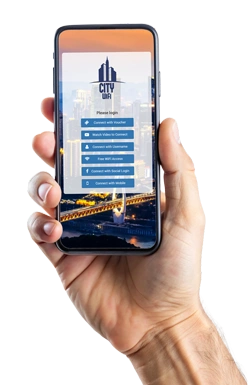

What are Guest WiFi Notifications?
Guest WiFi Notifications help businesses display important messages, visitor guidance, service updates and announcements through WiFi splash pages, welcome pages and post-login redirects.
Antamedia WiFi Hotspot can show notifications before or after login, helping venues communicate with guests while managing access, consent, analytics and follow-up through the Antamedia platform.
Visitor Information and Service Updates
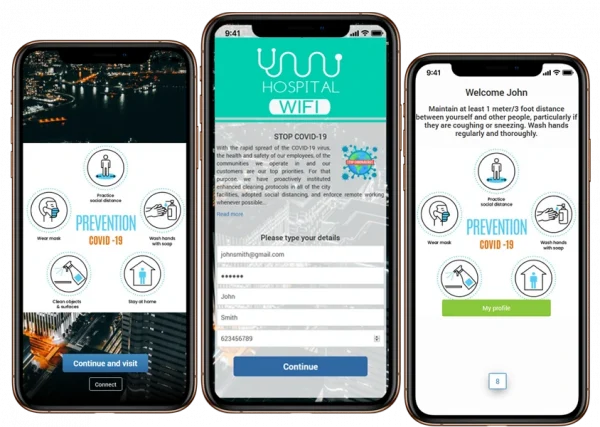
Use WiFi splash pages and welcome pages to display information that guests should see before or after they connect.
Messages can include visitor guidelines, service notices, facility rules, event schedules, local information, transport updates, menu links, booking instructions, Digital Guide links, support information or temporary announcements.
This helps businesses communicate important information without requiring a separate app or manual explanation from staff.
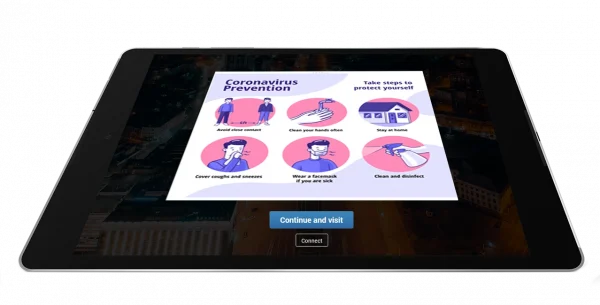
Use WiFi splash pages and welcome pages to display information that guests should see before or after they connect.
Messages can include visitor guidelines, service notices, facility rules, event schedules, local information, transport updates, menu links, booking instructions, Digital Guide links, support information or temporary announcements.
This helps businesses communicate important information without requiring a separate app or manual explanation from staff.
Privacy-Aware Guest Communication
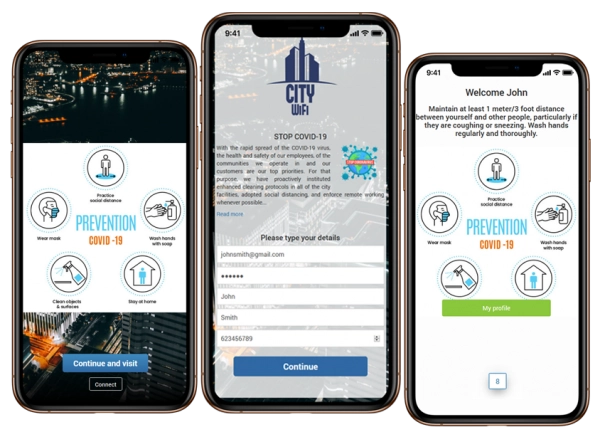
When contact details or consent are collected through the WiFi login flow, the process should be configured with clear privacy notices, terms of use and data retention rules.
Businesses can collect only the information needed for access, reporting, surveys or approved follow-up communication, depending on their policy and local requirements.
Consent-based contact data and activity can be connected with Antamedia Engage for organized follow-up, service communication and customer engagement.
How Guest WiFi Notifications Work
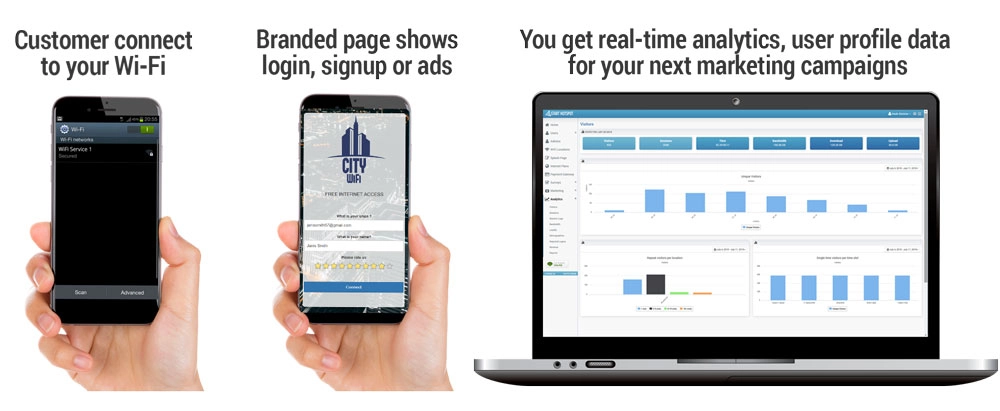
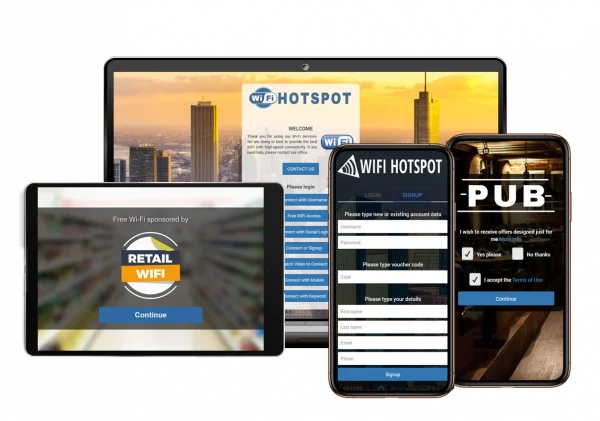
When a guest connects to the WiFi network, WiFi Hotspot redirects the device to a branded captive portal or splash page.
The page can display a notification, service message, visitor guideline, survey, offer, Digital Guide link or other selected information before or after login.
After the guest completes the configured login method, WiFi Hotspot applies the access rules such as speed, session duration, bandwidth quota and device limits.
The guest can then continue to Internet access or be redirected to a welcome page, Digital Guide, booking page, support page, survey or selected website.
WiFi Features
Guest WiFi Notification Use Cases
Hotels can display check-in information, restaurant hours, spa offers, room service links, Digital Guide pages and guest service updates.
Hospitals and clinics can show visitor guidance, department directions, waiting area information, feedback forms and service notices.
Smart city and public venues can share city information, tourism links, event schedules, transport updates and local announcements.
Restaurants and cafés can promote menus, daily specials, loyalty offers, booking pages and feedback forms.
Retail stores and shopping malls can display promotions, store directories, event information, coupons and survey links.
Connect Notifications with Engage
When guests provide consent through the WiFi login flow, contact data, survey answers and interaction history can be organized in Antamedia Engage.
Businesses can use Engage to follow up with visitors, send service updates, share offers, respond to feedback and manage customer communication after the WiFi session.
Connect Notifications with Digital Guide
Guest WiFi notifications can send users directly to Antamedia Digital Guide after login.
Hotels, restaurants, venues and tourist locations can use this to present menus, services, offers, booking pages, local information, room requests, web shop pages or visitor guidance.
This turns the WiFi login flow into a digital service entry point instead of only granting Internet access.
Works with Splash Pages and Welcome Pages
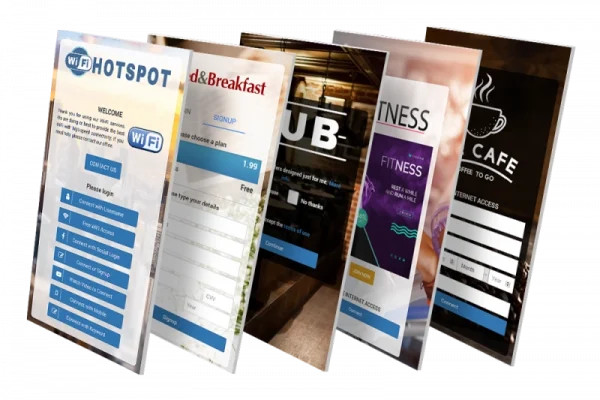
Guest WiFi notifications can be displayed before login on a splash page or after login on a welcome page.
Splash pages are useful for login messages, terms of use, consent options and important notices before access is granted.
Welcome pages are useful for post-login information, service links, offers, surveys, Digital Guide redirection and delayed redirects to selected pages.
WiFi Hotspot or Enterprise WiFi for Notifications?
Choose WiFi Hotspot if you want a hosted guest WiFi platform managed by Antamedia, with faster setup and cloud-based access to splash pages, welcome pages, notifications, reports and guest engagement tools.
Choose Enterprise WiFi System if you need private infrastructure, full domain control, larger deployments, customer hierarchy or advanced management across multiple locations.
Guest WiFi Notifications FAQ
Guest WiFi Notifications are messages, announcements or information pages shown through WiFi splash pages, captive portals or welcome pages before or after guest login.
You can display service updates, visitor guidelines, event information, opening hours, directions, offers, surveys, Digital Guide links, support pages or selected announcements.
Yes. Notifications can appear on the splash page before login, depending on the configured captive portal flow.
Yes. After login, guests can be redirected to a welcome page, Digital Guide, survey, booking page, service page or another selected URL.
Yes. Businesses can configure different messages, splash pages or welcome pages for different WiFi locations, venues or campaigns.
Yes. Splash pages can include terms of use, privacy notices, consent checkboxes and contact permission options before access is granted.
Yes. Consent-based contact data, survey answers and guest activity collected through WiFi can be used with Antamedia Engage for follow-up communication.
Some of our customers

