
WIFI SPLASH PAGES AND CAPTIVE PORTAL EDITOR
Create branded login pages for guest WiFi access
START FREE TRIAL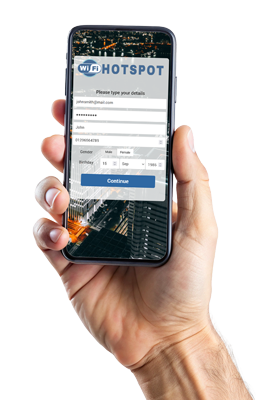

What are WiFi Splash Pages?
WiFi splash pages are branded captive portal pages that guests see before or after connecting to a WiFi network.
Antamedia WiFi Hotspot uses splash pages to present login options, terms of use, consent fields, promotions, surveys, ads, redirects and welcome messages before granting Internet access.
Branded Splash Pages for Guest WiFi
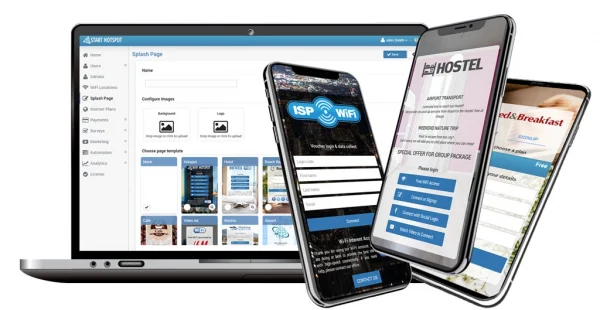
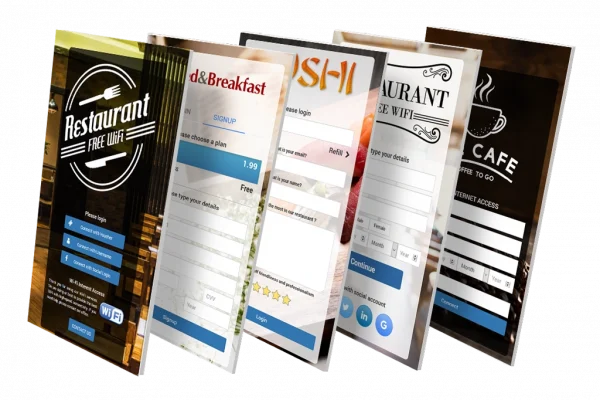
Create professional splash pages for guest WiFi login, promotions, consent collection and post-login redirection. Start from ready-made templates or build a layout that matches your brand.
Splash pages can include your logo, background image, custom colors, buttons, terms of use, contact permission options, login forms, surveys, ads and redirect settings.
Multiple Login Methods
on One Splash Page
Allow guests to choose the login method that best fits your venue or business model. A splash page can include free access, voucher login, email login, OTP, social login, PMS login, paid plans, video access or custom data collection forms, depending on your configuration.
The modern layout can show login options as clean buttons, while the classic layout can display one or more forms directly on the page.
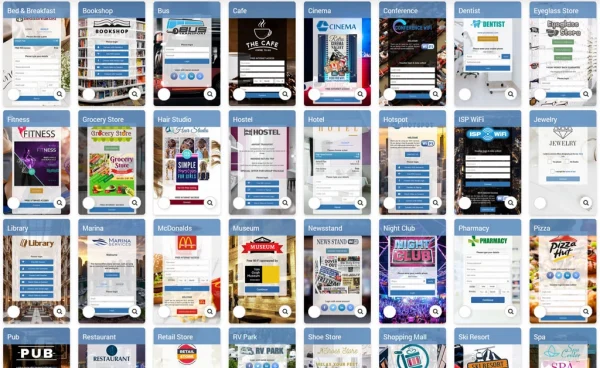
Ready-Made Splash Page Templates
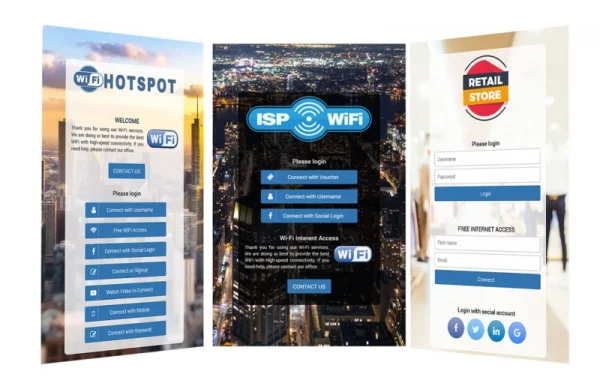
Use ready-made splash page templates for hotels, restaurants, cafés, airports, cities, transport, retail stores, shopping malls, nightlife venues, ISPs and public WiFi networks.
Upload your logo, adjust colors, edit text, choose login methods and publish a branded captive portal page without starting from a blank design.
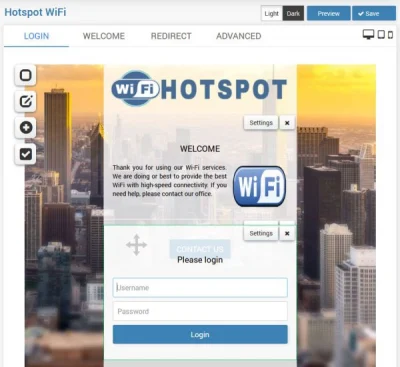
Splash page Editor
Use the Splash Page Editor to customize page layout, login forms, buttons, colors, images, text blocks, terms of use and consent options.
You can reorder login forms, adjust the page structure and create different splash pages for different locations, industries or guest access scenarios.
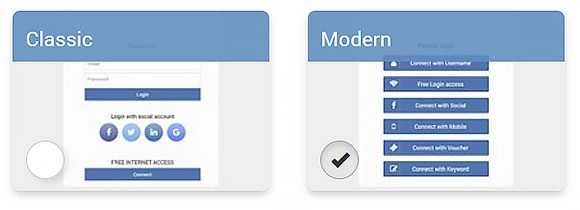
Classic and Modern Layouts
Choose a classic layout when you want to show one or two login forms directly on the splash page.
Choose a modern layout when you want to present multiple login options as clean buttons, allowing guests to select the preferred login method before the form opens.
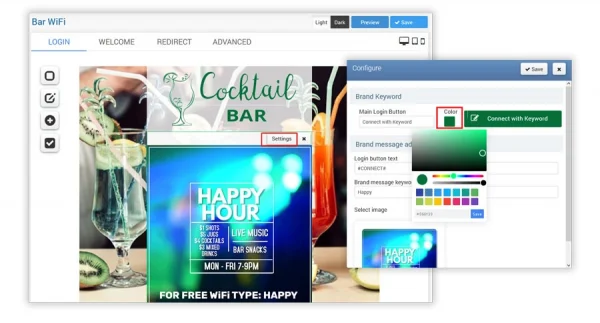
Brand Colors and Button Styling
Customize button colors, backgrounds, text styles and visual elements to match your venue or brand identity.
You can create a splash page color palette that fits your logo, background design and guest WiFi experience.
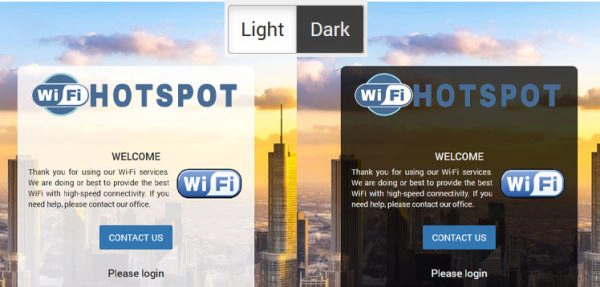
Dark mode
Create splash pages with a darker visual style for venues where a softer screen appearance is preferred, such as hotels, lounges, restaurants, night venues and evening environments.
Terms of Use
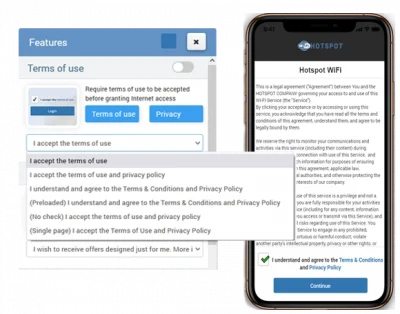
Require guests to accept your terms of use before Internet access is granted. You can write your own terms or start from predefined templates and adjust them to match your business, location and legal requirements.
Terms of use can be combined with consent options, privacy notices and custom data fields.
Consent and Contact Permission
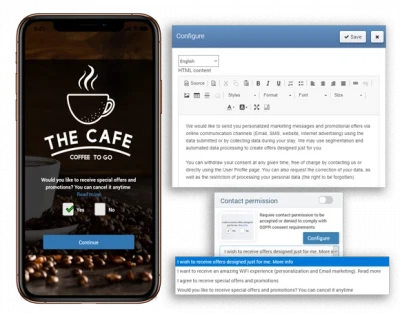
Add contact permission options and consent checkboxes to your splash page when you collect guest data for communication, reporting or marketing.
Businesses can define the consent text, choose required or optional fields, and connect consent-based guest data with Antamedia Engage for follow-up communication.
Post-Login Welcome Page
After successful login, guests can be redirected to a welcome page, website, offer page, Digital Guide, survey, booking page or another online service.
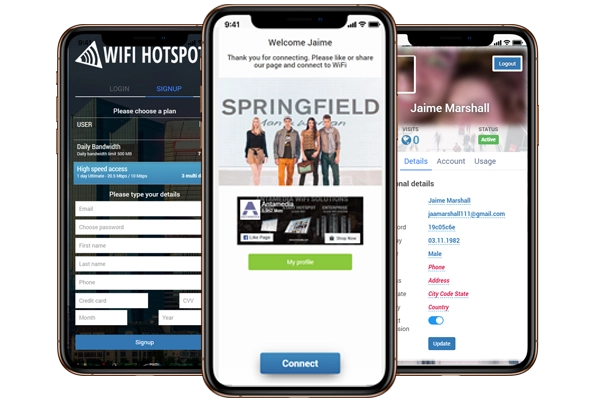
The welcome page can show announcements, promotions, service information, image or video campaigns, app download links, user profile options and delayed redirect settings.
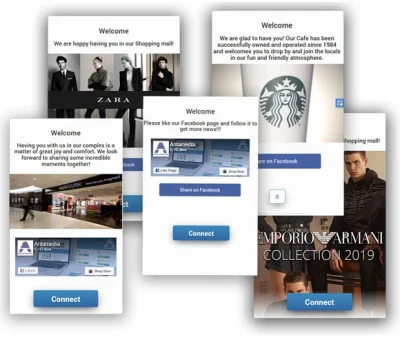
Splash Page Ads and Campaigns
Use splash pages and welcome pages to display image or video promotions before or after WiFi login. Campaigns can promote offers, events, services, menus, apps, loyalty programs, sponsor messages or venue announcements.
When multiple campaigns are active, content can rotate across sessions and locations, helping businesses use guest WiFi as a communication and marketing channel.
Redirect After Login
After login, guests can be redirected to the original URL, a custom landing page, Digital Guide, welcome page, offer page, booking page, survey or user profile.
You can also use a countdown before redirecting users, giving them time to read important information, promotions or service messages before continuing.
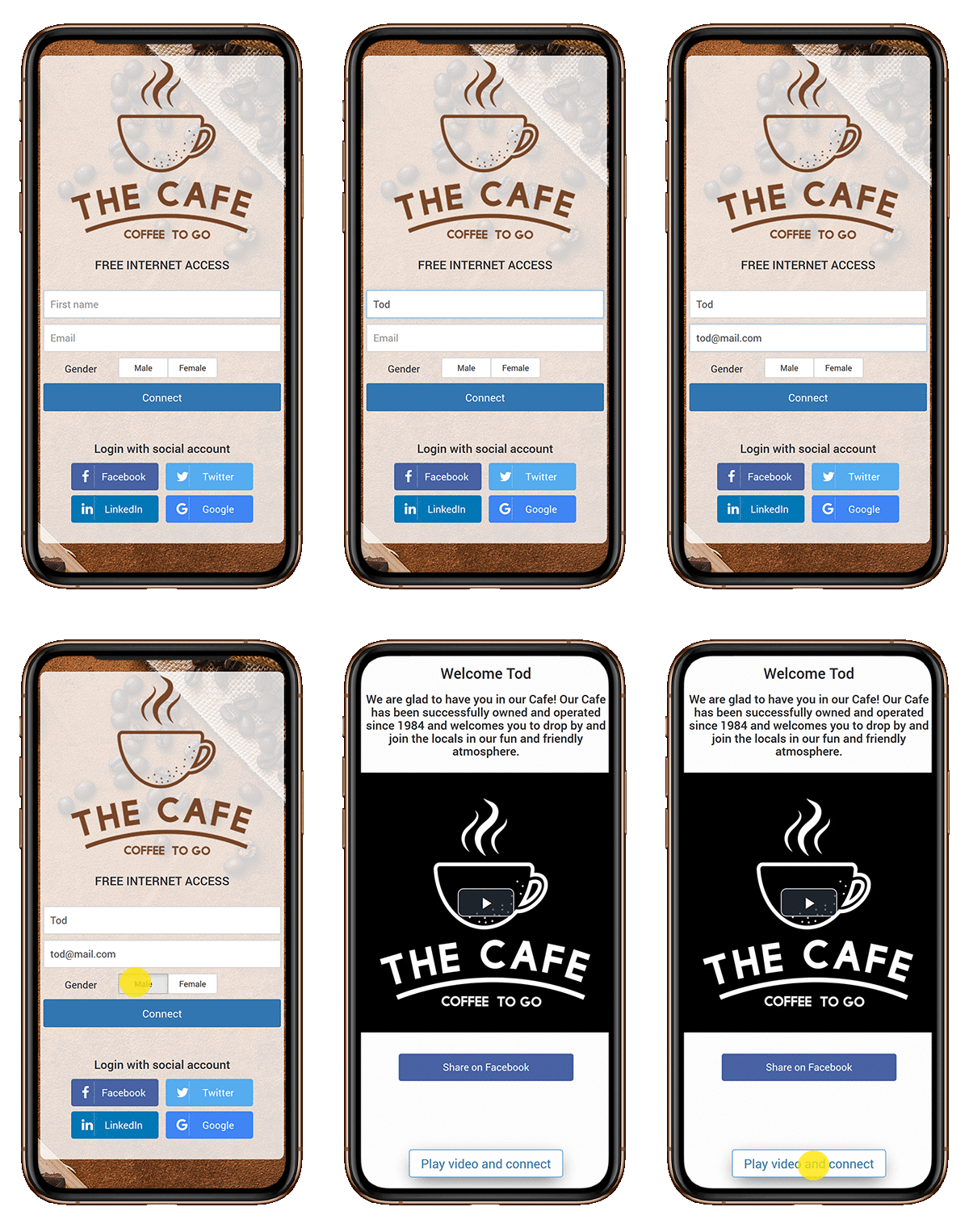
Connect Splash Pages
with Engage
Splash pages can collect consent-based guest data, survey answers, marketing permissions and login activity. When connected with Antamedia Engage, this data can help businesses organize contacts, segment visitors and run follow-up campaigns.
This turns the WiFi login page into the first step of a structured customer engagement workflow.
Redirect Guests
to Digital Guide
After WiFi login, guests can be redirected to Antamedia Digital Guide to access hotel information, menus, offers, bookings, room requests, web shop pages, local services or venue information.
This is especially useful for hotels, restaurants, cafés, public venues and tourist locations that want to turn WiFi login into a digital service entry point.
WiFi Splash Page FAQ
A WiFi splash page is a branded captive portal page that guests see before or after connecting to a WiFi network. It can show login options, terms of use, consent fields, promotions, surveys and redirect settings.
You can add logos, images, colors, text, login forms, terms of use, contact permission, data fields, surveys, ads, welcome messages and redirect options.
A splash page can include free access, voucher login, email login, OTP, social login, PMS login, paid plans, video access or custom data collection forms, depending on the configured WiFi Hotspot setup.
Yes. Businesses can create different splash pages for different venues, industries, brands, campaigns or WiFi locations, depending on their deployment and configuration.
Yes. Splash pages can include terms of use, privacy notices, consent checkboxes and contact permission options before Internet access is granted.
Yes. After login, guests can be redirected to a welcome page, website, Digital Guide, survey, booking page, offer page, user profile or another online service.
Yes. Consent-based guest data, survey answers and login activity collected through splash pages can be used with Antamedia Engage for segmentation and follow-up communication.
Some of our customers

