
HOTSPOTOS FOR CLOUD-MANAGED WIFI ACCESS POINTS
Manage supported APs, WiFi settings and guest access from the cloud
START FREE TRIAL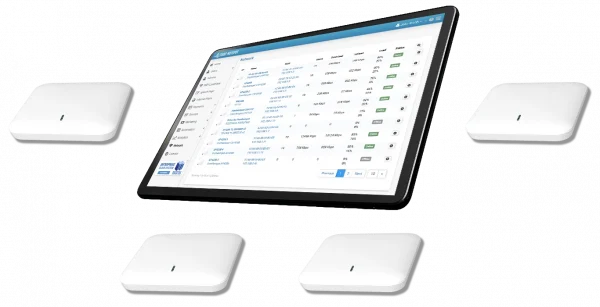

What is HotspotOS?
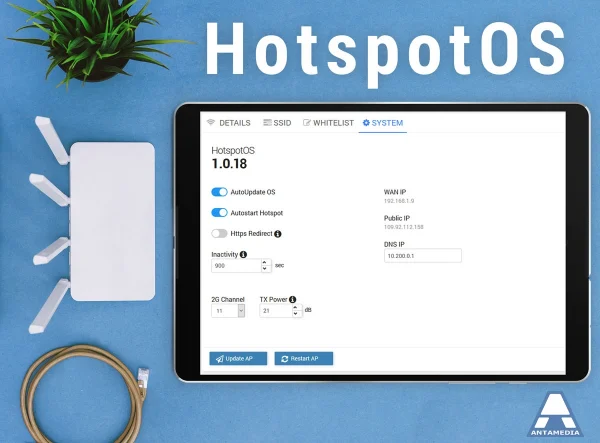
HotspotOS is Antamedia’s access point operating system for supported WiFi hardware. It helps operators manage access point settings, monitoring, SSID configuration, channel settings, transmit power, updates, restarts and guest WiFi integration from a centralized dashboard.
HotspotOS is designed for deployments where supported access points need to work together with Antamedia WiFi Hotspot, Enterprise WiFi System, captive portals, RADIUS authentication, WiFi Locations and reporting.
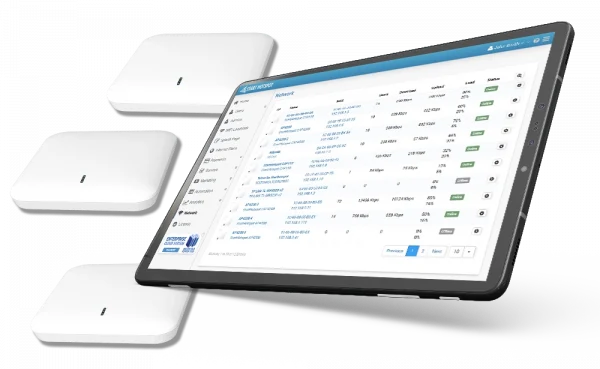
HotspotOS helps administrators manage supported WiFi access points from one cloud-based interface.
Instead of configuring every AP separately, operators can monitor AP status, review connected users, manage SSID settings, adjust channels and TX power, restart devices, apply updates and connect guest WiFi workflows with Antamedia captive portal and RADIUS services.
Hardware compatibility depends on the access point model, chipset, firmware support and deployment requirements, so supported models should be confirmed before installation.
HotspotOS can run on selected compatible access point models, depending on hardware, chipset and firmware support.
Before deployment, confirm that the exact AP model is supported and suitable for the required WiFi features, performance, roaming behavior and guest access workflow.
Top HotspotOS Features
Integration with WiFi Hotspot and Enterprise WiFi
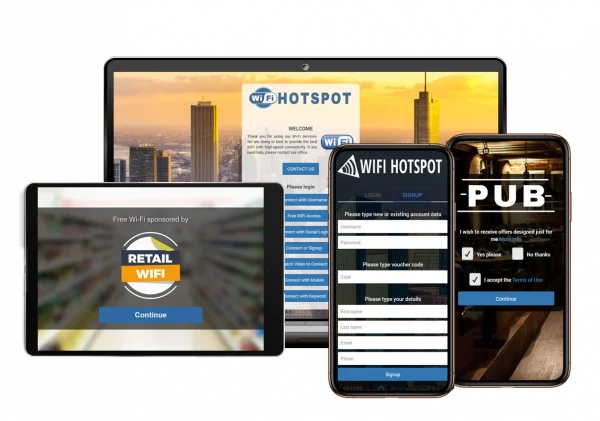
HotspotOS works with Antamedia WiFi Hotspot and Enterprise WiFi System to connect access point management with guest WiFi authentication, captive portals, RADIUS, WiFi Locations, access rules and reporting.
Administrators can review AP status, connected users, bandwidth activity, CPU and memory status where supported, and perform actions such as restart or update from the management interface.
Virtual Controller for Supported AP Groups
In supported deployments, HotspotOS can use a virtual controller model to coordinate settings across multiple access points.
The controller workflow helps store and distribute AP configuration, simplify multi-AP management and reduce the need to configure every device manually.
Behavior during network issues depends on the access point model, network design, configuration and client device behavior. Proper planning is still required for stable coverage, roaming and guest WiFi access.

WiFi Roaming Support
HotspotOS can support roaming-oriented deployments with compatible access points and proper network design.
Roaming performance depends on AP placement, signal overlap, SSID configuration, security settings, supported roaming standards and client device behavior.
When the network is properly configured, users can move between access points with fewer interruptions and fewer repeated login prompts during an active guest WiFi session.
Connect HotspotOS
with WiFi Locations
HotspotOS can work together with Antamedia WiFi Locations to group supported APs by venue, zone, floor, customer site or service area.
This helps administrators apply location-specific splash pages, access rules, Internet plans, branding, redirects and reports across supported access point groups.
Cloud Managed WiFi
with HotspotOS
HotspotOS is part of the Antamedia cloud-managed WiFi workflow for supported access points.
Administrators can monitor APs, manage settings, apply updates, control SSIDs and connect AP management with guest WiFi access, captive portals, RADIUS and reports.
This helps operators manage multiple access points and locations without relying only on local device configuration.
HotspotOS Use Cases
Hotels can manage APs across rooms, lobbies, restaurants, pools and conference areas.
Shopping malls can group APs by entrances, food courts, retail corridors and event zones.
ISPs and MSPs can manage customer sites and public WiFi deployments from a centralized interface.
Smart city and transport operators can organize APs across public zones, terminals, stations and visitor areas.
Restaurants, cafés and venues can simplify AP setup, monitoring and guest WiFi access management.
HotspotOS FAQ
HotspotOS is Antamedia’s access point operating system for supported WiFi hardware, used to manage AP settings, monitoring, SSID configuration, updates, restarts and guest WiFi integration from a centralized dashboard.
HotspotOS support depends on the exact AP model, hardware revision, chipset and firmware compatibility. Supported models should be confirmed before deployment.
Yes. HotspotOS can be used in cloud-managed WiFi workflows where supported access points are monitored and configured from a centralized interface.
HotspotOS can support roaming-oriented deployments with compatible access points and proper network design. Roaming performance also depends on signal design, SSID settings and client device behavior.
Yes. HotspotOS can work with Antamedia captive portal and RADIUS workflows, and compatible external services where supported.
Yes. Remote restart and update actions can be available for supported HotspotOS devices through the management interface.
Yes. HotspotOS can work with Antamedia WiFi Hotspot and Enterprise WiFi System, depending on deployment, supported hardware and configuration.
Works With Selected Compatible Hardware
HotspotOS support depends on the exact access point model, hardware revision, chipset and firmware compatibility.
The vendor logo list is a general compatibility reference. Confirm the exact supported model before planning or deploying a HotspotOS installation.

